
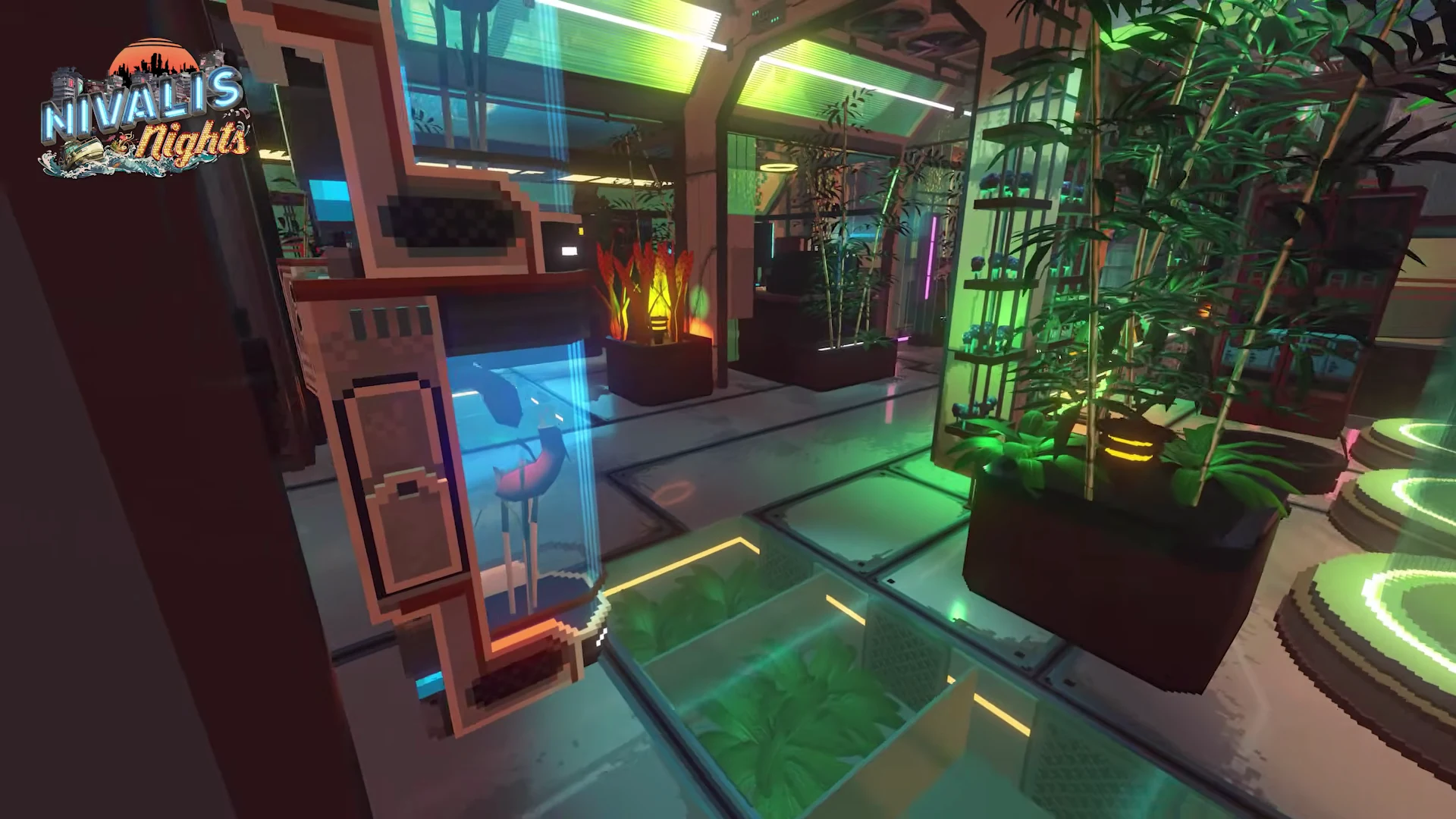
In the sinking metropolis of Nivalis, fresh produce is a rare commodity with high wholesale markups. Operating your own hydroponic greenhouses allows you to produce scallions, mushrooms, chili peppers, and synthetic meat at near-zero operating costs. With the automation introduced in Update #5, agriculture is no longer a time sink—it is an autonomous cash engine.

1. The Autonomous Agricultural Loop
The modern greenhouse supply chain connects directly into your restaurant empire through five integrated steps:
Lease greenhouse warehouse lofts in industrial sectors. Place grow modules and install standard and refrigerated furniture storage units on site.
Equip the Automatic Harvester (Level 15) and RePlanter 4000 (Level 16) to completely eliminate manual harvesting and seeding.
Enable "Use Greenhouse Stock" in Venue Management Settings so managers draw free produce first.
2. Hardware Automation: Harvester & RePlanter 4000
Update #5 added two dedicated hardware modules that close the farming automation loop:
✓ Automatic Harvester (Farming Level 15)
Monitors all active crop modules in the facility. The moment a batch of mushrooms, grains, or vegetables reaches maturity, the harvester reaps the harvest automatically and transfers the yield directly into on-site greenhouse storage.
- Eliminates manual harvest interactions.
- Works continuously while you explore the city.
- Unlocks at Farming Level 15.
✓ RePlanter 4000 (Farming Level 16)
Pairs with the harvester to complete the continuous cycle. Once a plot is harvested, the RePlanter consumes matching seeds from greenhouse storage and replants the module instantly.
- Prevents plots from sitting idle.
- Requires a seed reserve in greenhouse storage.
- Unlocks at Farming Level 16.
3. Dedicated Storage & Cold Chain Management
Prior to Update #5, all harvested produce flooded into your player backpack. Now, greenhouses support dedicated furniture storage:
- Placeable Storage Furniture: You can place any regular restaurant furniture with storage ratings (cabinets, pantries, and walk-in refrigerators) directly inside your greenhouses.
- Dual Storage Tiers: Ambient crops (grains) store in standard units, while perishable crops (scallions, mushrooms, synthetic meat) store in refrigerated units to preserve freshness.
- Intelligent Overflow: If basic storage is full, crops spill into refrigerated units. If all on-site storage is exhausted, excess yield routes to your player inventory alongside a HUD warning alert.
4. Remote Operations via Tab Menu
You no longer need to navigate across the city to adjust production schedules. Update #5 introduced a city-wide remote farming interface:
- Greenhouse Selection Panel: Open the Tab menu to access the remote console.
- Real-Time Status: View growth stages, soil moisture, and current yield timers across all leased locations.
- Remote Module Controls: Toggle automatic harvesting or replanting switches, and click any module entry to change cultivation targets on the fly.
- Fast Travel & Map Pins: Owned greenhouses display custom map markers on the district map, with one-click direct fast travel to the district.
5. Supplying Restaurants: "Use Greenhouse Stock"
The primary economic objective of greenhouse farming is replacing commercial wholesale ingredient costs with homegrown produce. This loop is activated in Venue Management Settings:
How Venue Managers Prioritize Inventory
- Check Venue Storage: If ingredients exist on site, cook immediately.
- Check Greenhouse Storage: When "Use Greenhouse Stock" is enabled, managers pull required produce from your greenhouses at zero monetary cost.
- Commercial Purchase: If an ingredient is not grown or is depleted in farm storage, the manager places a commercial wholesale order, bounded by your Daily Restock Budget.
6. Crop Selection, Balancing & Console Calibration
The farming console regulates three physical parameters: temperature, humidity, and light. Matching these parameters to your selected crop maximizes growth speed:
| Crop Category | Primary Uses | Key Venue Dish Integration |
|---|---|---|
| Mushrooms & Fungi | High humidity, low light profile | Mushroom Ramen, Broths, Stir-fries |
| Grains & Noodles | Moderate humidity, balanced lighting | Ramen noodles, Pastas, Dumpling dough |
| Vegetables & Herbs | High light spectrum, warm temperature | Scallion garnishes, Chili pastes, Fresh sides |
| Printed Meat (Bioprinter) | Power & nutrient paste calibration | Pork chashu, Beef skewer toppings |
To integrate your crop yield with dining operations, see our Noodle Stand Guide and Cuisine Recipes Index. For financial modeling, experiment with our Business Profit Calculator.
❓Frequently Asked Questions
How do you fully automate greenhouse farming in Nivalis Nights?↓
How does dedicated greenhouse storage work?↓
Can you control your greenhouses remotely?↓
How do you supply your restaurants with greenhouse produce?↓
What did the post-launch balancing patch adjust for farming?↓
How do fast travel and map icons work for greenhouses?↓
🔗Related Nivalis Guides
Enable 'Use Greenhouse Stock' and set daily budgets per venue.
Detailed breakdown of Update #5 automation and balancing fixes.
Ingredients, prep steps, and dishes served across your restaurants.
Simulate profit margins when supplying homegrown produce.